
I wrote this page as my go-to service directory to find official kiosk locations in Erie, PA. I want a clear, simple way to pick a Verified Bitcoin ATM Erie Erie, PA option and feel confident before I go.
Here I set expectations for what I can do at a kiosk right now. Most sites let me buy or sell bitcoin quickly in person. I focus on safe, straightforward steps so I can complete a transaction with little fuss.
When I search “near me” I use this guide to check the best locations for my schedule and comfort. I look for store settings I prefer and compare hours, acceptance rules, and any verification needs before I drive over.
Availability can vary by spot, so I always confirm hours and support contacts. Next, I’ll cover the primary kiosk on W Lake Rd, list verified details like hours and help, and show nearby locations to compare.
Key Takeaways
- Quick reference: A directory to find official kiosk locations in town.
- What you can do: Buy or sell bitcoin in person with clear steps.
- How I use it: Match locations to my schedule and comfort level.
- Confirm before you go: Check hours, rules, and verification needs.
- What’s next: Details on the W Lake Rd kiosk and nearby alternatives.
Coinark Bitcoin ATM at 3108 W Lake Rd, Erie, PA 16505
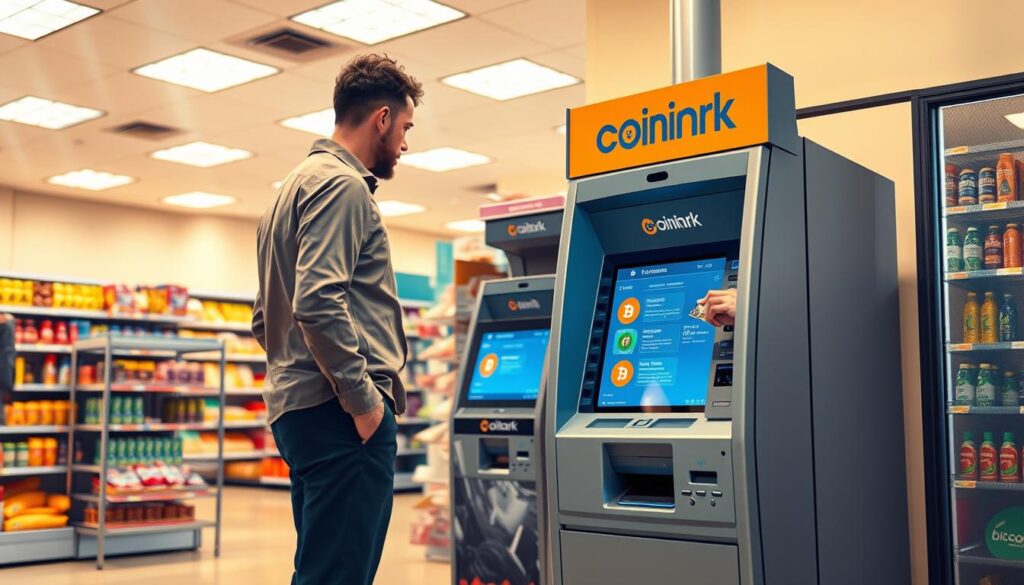
I rely on the Coinark kiosk at 3108 W Lake Rd when I need a quick, in-person crypto exchange. The unit sits inside a retail store and offers a simple, self-service experience with clear prompts.
Address, store setting, and what to expect on-site
Address: 3108 W Lake Rd, Erie, PA 16505. The location is a convenience-store setting with a standalone kiosk. Expect an on-screen menu, a QR scanner for your wallet, and a cash slot for deposits.
Map directions and “near me” link
Tap for directions to open the map and navigate without retyping the address.
How I buy Bitcoin with cash at the bitcoin atm
- Choose “Buy” on the screen.
- Enter the cash amount I want to spend.
- Scan my wallet QR code and feed cash until the machine confirms.
How I sell Bitcoin and complete a transaction safely
- Select “Sell” if supported, then follow step-by-step prompts.
- Confirm the destination QR or address before finalizing.
- Wait for the on-screen confirmation and keep the receipt.
What I bring: phone, crypto wallet, and account basics
- A charged phone with my wallet app or hardware wallet access.
- My wallet QR code ready and any ID if the kiosk requests verification.
- Cash in small bills to match the machine’s accepted denominations.
Transaction limits, daily limits, and verification notes
I expect limits on per-transaction and daily amounts, and verification may be required for larger transfers. Always confirm the rules on-screen before I proceed to avoid delays.
| Feature | Detail | Quick action |
|---|---|---|
| Location | 3108 W Lake Rd, Erie, PA 16505 | Get directions |
| Payment | Cash only (check on-screen) | Bring exact bills |
| Typical limits | Per-transaction and daily caps apply | Confirm on kiosk |
Verified Bitcoin ATM Erie Erie, PA: Hours, cash acceptance, and support
Before I use a machine, I always confirm whether it accepts only cash or other payment methods.
I check the kiosk screen and any store signage first. Most local atms are set up for cash acceptance, but some units let you use an app or linked account.
I also note hours so I don’t arrive outside service times. When a rate looks off or a screen hangs, I stop and contact support rather than completing the transaction.
Cash-only vs. other payment notes for local atms
I look for on-screen prompts that say whether cash is required or if a card or app works. If the kiosk supports wallet-app deposits, the display will show that option.
Tip: If I see no alternate payment option, I treat it as cash-only and bring exact bills.
Customer support: phone number and email for help
I use a support-first approach when anything seems wrong. For some Erie listings, customer service is available 24/7 at (773) 800-0106 or by email at [email protected].
I also consider creating an account before I go. CoinFlip notes that signing up can save time and may allow higher limits — up to $15,000 per day, though limits vary by location.
Before I leave the kiosk area, I verify three things:
- On-screen confirmation that the transaction completed.
- Receipt details match the amount I deposited and the correct wallet address.
- Any required account or verification steps are recorded for my records.
| Item | What I check | Quick action |
|---|---|---|
| Hours | Store and kiosk service times | Confirm before travel |
| Payment type | Cash-only or supports app/account | Bring exact bills or pre-create wallet |
| Support | Phone: (773) 800-0106 / Email: [email protected] | Contact if issues occur |
| Limits & verification | Per-transaction and daily caps; ID may be needed | Plan extra time for large transactions |
Nearby Bitcoin ATM locations in Erie, Pennsylvania
My go-to step is listing nearby atms to find the closest store with the hours I need.
Inside Samir’s Convenience — 1010 State St
Address: 1010 State St, Erie, PA 16501. This location is cash-only and open daily 6:00 AM–9:00 PM.
Bayfront Convenience Store — 556 West 4th Street
Open daily 6:00 AM–10:00 PM. If I need help outside store hours I call (773) 800-0106 or email [email protected] for 24/7 support.
Beer & Pop Discount Warehouse — 901 Peninsula Drive
Hours are 9:00 AM–9:00 PM Sun–Thu, 9:00 AM–10:00 PM on Fri, and 9:00 AM–9:00 PM on Sat. The same 24/7 support number applies if I need it.
Planning my visit
I compare locations by hours, parking, and drive time to pick the quickest purchase route. I set up my wallet and, if applicable, a CoinFlip account ahead of time to reduce delay.
- Pick the nearest store, confirm it’s open, and bring exact cash for a fast purchase.
- Verify every number on-screen during the transaction and save the receipt for records.
- For larger day totals, having an account can matter — limits vary by location (up to $15,000 per day in some cases).
Conclusion
I pick the location that fits my hours, distance, and comfort with the in‑store setup. This lets me focus on a smooth, low-stress experience when I visit the Coinark kiosk or nearby options.
My checklist is simple: confirm the exact address, bring my phone and wallet, verify every detail on-screen, and keep the receipt as proof. I also check whether the unit is labeled as a bitcoin atm or supports app deposits before I go.
Slow down at the final confirmation step. Double-check the wallet address and amounts to make the safest experience. If I need help, I call the location support contact rather than guessing mid-transaction.
Today I pick the most convenient spot, plan the drive, and complete my bitcoin or crypto purchase with confidence.