
I’m proud to offer a friendly, easy-to-use kiosk that helps local customers explore cryptocurrency. My goal is to make every visit simple and secure, whether you are just starting or already manage digital assets.
I designed the setup so people can buy bitcoin quickly and feel confident about each step. The machine and my support guide you through buying and storing coins in minutes.
Finding a reliable bitcoin atm erie location matters. I keep the process clear and fast so you can join the modern digital economy without stress.
If you prefer hands-on help, I welcome questions from customers and offer tips to make crypto tasks easier. I focus on quality, safety, and user satisfaction every time someone uses my atm erie spot.
Key Takeaways
- Friendly, first-person service for local customers.
- Streamlined process to buy bitcoin fast.
- Accessible help for beginners and experts.
- Secure, local bitcoin atm erie option.
- Bridges traditional finance and modern crypto.
Easy to use kiosk Erie, PA
I placed a kiosk inside Samir’s Convenience so locals can stop by easily and handle quick cash transactions. The address is 1010 State St, a central spot that people reach by car or on foot.
The store provides a clean, well-lit space during regular hours. I selected these locations to ensure reliable access every day of the week.
- Convenient central location at Samir’s Convenience.
- Designed for simple cash operations to keep the process fast.
- Friendly, maintained environment for every visit.
“I chose busy, trusted stores so you get a consistent, secure experience each time.”
Find the kiosk inside Samir’s Convenience at 1010 State St for easy service and clear directions.
| Location | Hours | Key Feature |
|---|---|---|
| Samir’s Convenience, 1010 State St | Daily, regular store hours | Cash-only transactions |
| Central access point | Easy parking & foot traffic | Maintained, clean environment |
| Other nearby locations | Vary by store | Reliable service and support |
Finding my Bitcoin ATM with Large Screen Erie, PA
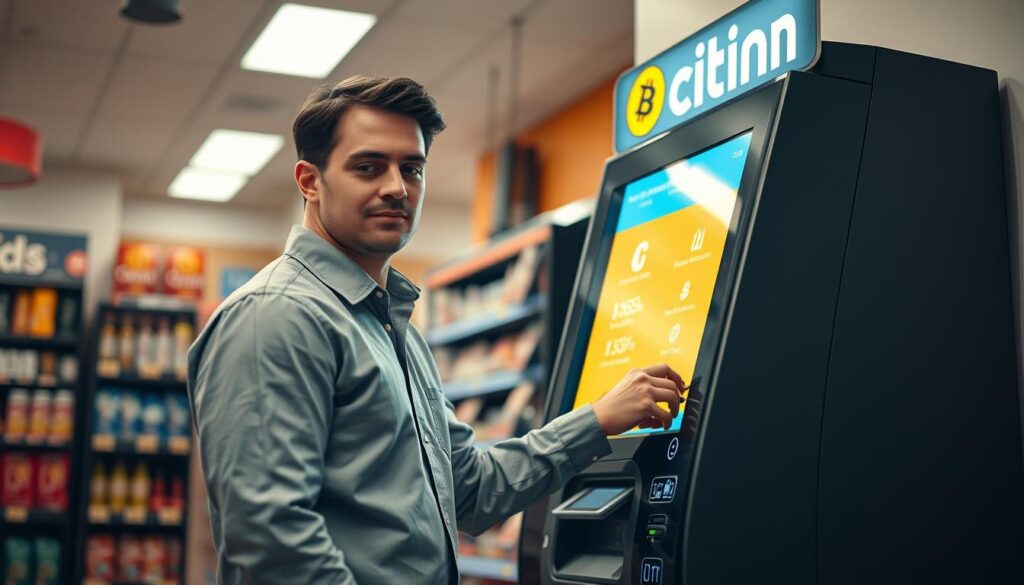
I placed a Coinark kiosk at 3108 W Lake Rd to make pickups and deposits simple for local customers.
Getting to 3108 W Lake Rd
I chose a visible spot so you can arrive without confusion. For turn-by-turn directions, use this link: https://g.page/r/CZfZxxySCpzYEBM/.
The store location sits on a busy route and offers easy parking and entry. If you prefer another nearby option, try Bayfront Convenience Store at 556 West 4th Street.
Accessibility features
High-visibility display helps you read prompts clearly and move through steps fast.
- I designed the interface to be readable from a distance.
- Machines are placed at convenient heights for most users.
- I keep machines across several locations so a reliable unit is usually nearby.
“I aim to make each visit safe, fast, and clear for every user.”
Preparing for your crypto transaction
To save time at my location, prepare a few simple items on your phone beforehand. This helps you finish the process quickly and lowers stress.
Setting up your wallet
Download a secure mobile wallet before you arrive so you can receive funds right away.
- Make sure your wallet app is installed, and your account is verified.
- You will scan a QR code from your personal wallet during the transaction to route funds correctly.
- Always double-check your wallet address before you confirm any transaction.
Using cash at my kiosk is simple, but having the wallet ready makes the visit smoother. My system guides you through scanning the code and finalizing the purchase to buy Bitcoin or other coins.
| Step | Why it matters | Tip |
|---|---|---|
| Install wallet | Stores your crypto securely | Choose a well-known wallet app |
| Prepare account | Saves time at the location | Complete verification if needed |
| Scan QR code | Ensures correct recipient address | Confirm the code matches your wallet |
Staying safe while using my kiosk
I want every visit to feel safe, so I share clear steps to protect your funds when using my kiosk.
I take your security seriously. Please report any suspicious activity within the Coinme 24-hour fraud reporting window so issues can be acted on quickly.
Never share your private wallet code or personal ID details with anyone claiming to be a representative. I will never ask you to reveal those items to complete a transaction.
Be aware of your surroundings when you handle cash at my locations. If a situation feels off, step away and seek help from store staff or contact support immediately.
- If you think a transaction was compromised, contact support right away to protect your funds and account.
- Legitimate services will never ask you to send money to an unknown code or give sensitive information over phone or email.
“Protect your information and use the 24-hour fraud reporting window to flag suspicious activity.”
Managing your digital assets
I help customers manage their funds by sharing clear steps to monitor balances, respect limits, and get fast help when needed.
Understanding transaction limits
Know the rules before you act. Transaction limits vary by provider and location, so check your limit ahead of time.
Tip: Some services, such as CoinFlip, allow up to $15,000 per day for verified users. Your daily limit may differ based on verification and provider policies.
Monitoring your account
I recommend checking your account and wallet regularly to spot unexpected activity. Small, frequent reviews reduce errors and stress.
Keep a short record of recent transactions so you can verify amounts and timestamps quickly if a question arises.
Support and assistance
If you need help, use official support channels. For example, Coinme Inc. (NMLS ID1185542) is located at 255 S. King Street, Suite 800, Seattle, WA 98104 and offers professional support for account issues.
“Contact official support promptly if you see anything unusual in your transaction history.”
Conclusion
I want to leave you confident that your next transaction will be fast and protected at my location.
I hope this guide helped you learn how to use my kiosk to manage your cryptocurrency and complete a smooth transaction. I strive to make every visit clear and friendly for local customers.
If you are coming by today or planning another day, I am here to provide reliable support. My bitcoin atm and my team are ready to assist with any crypto questions you have.
Thank you for choosing my atm and trusting me to help you navigate modern digital finance. I look forward to seeing you soon and helping you grow in the world of cryptocurrency.